Your lab report, in plain English.
Snap a photo of your bloodwork. Localabs runs a medical AI entirely on your iPhone and explains every value — privately, in seconds.
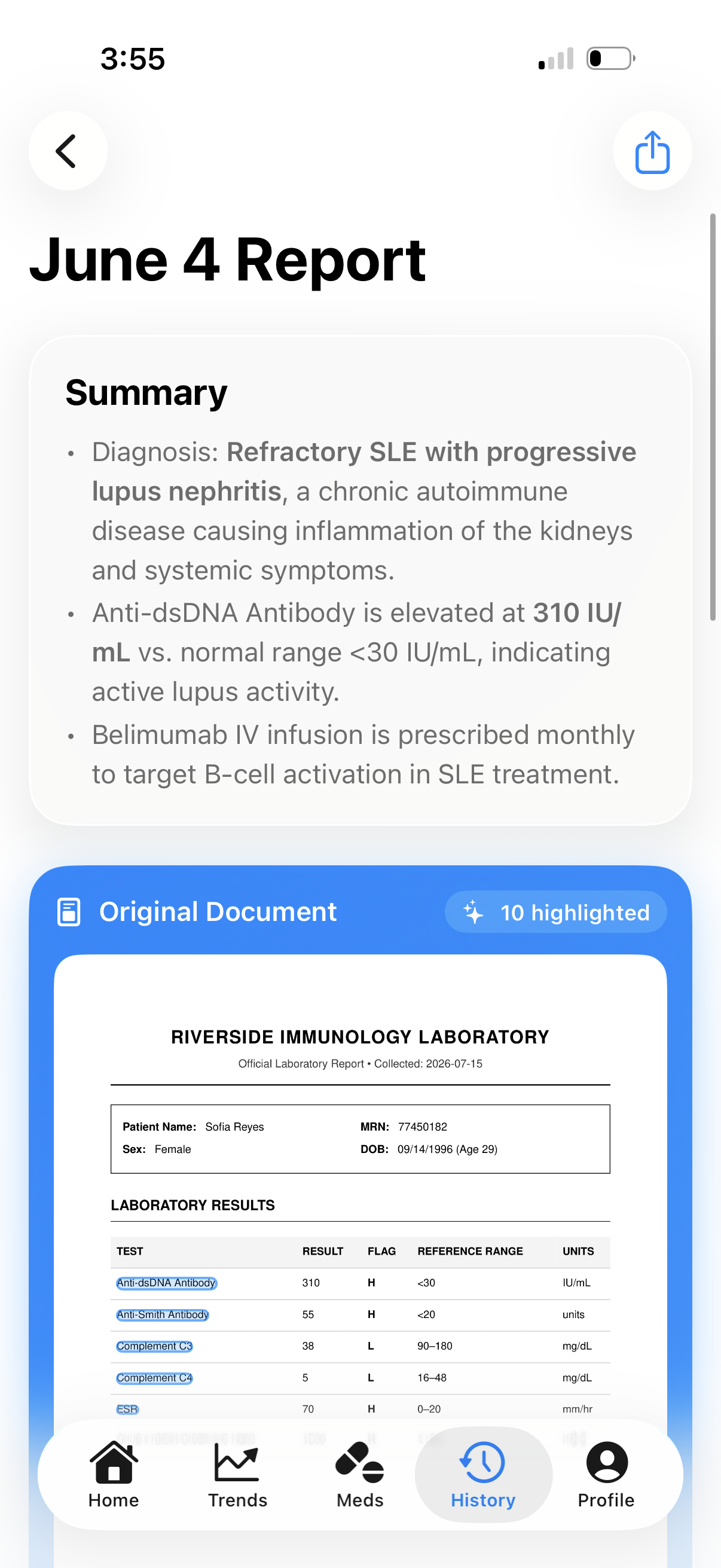
Lab reports were written for doctors.
Localabs reads them for you — explains what each number means, what to ask at your next visit, and how it relates to the rest of your health. In language any human can read.
Scan. Read. Ask.
Three steps. All on-device. No upload, no waiting on a server.
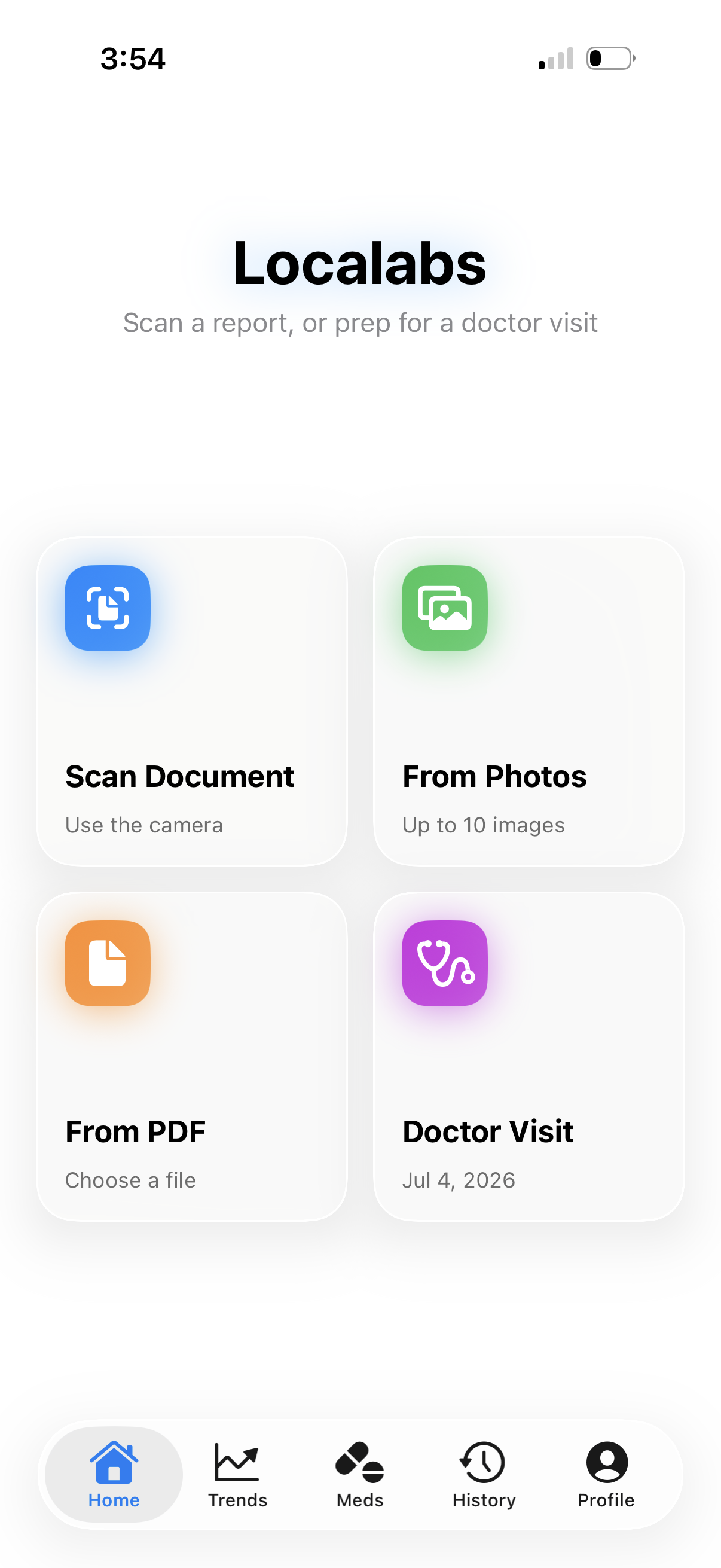
Scan your report.
Apple's native document scanner handles multi-page. Vision OCR pulls every value.
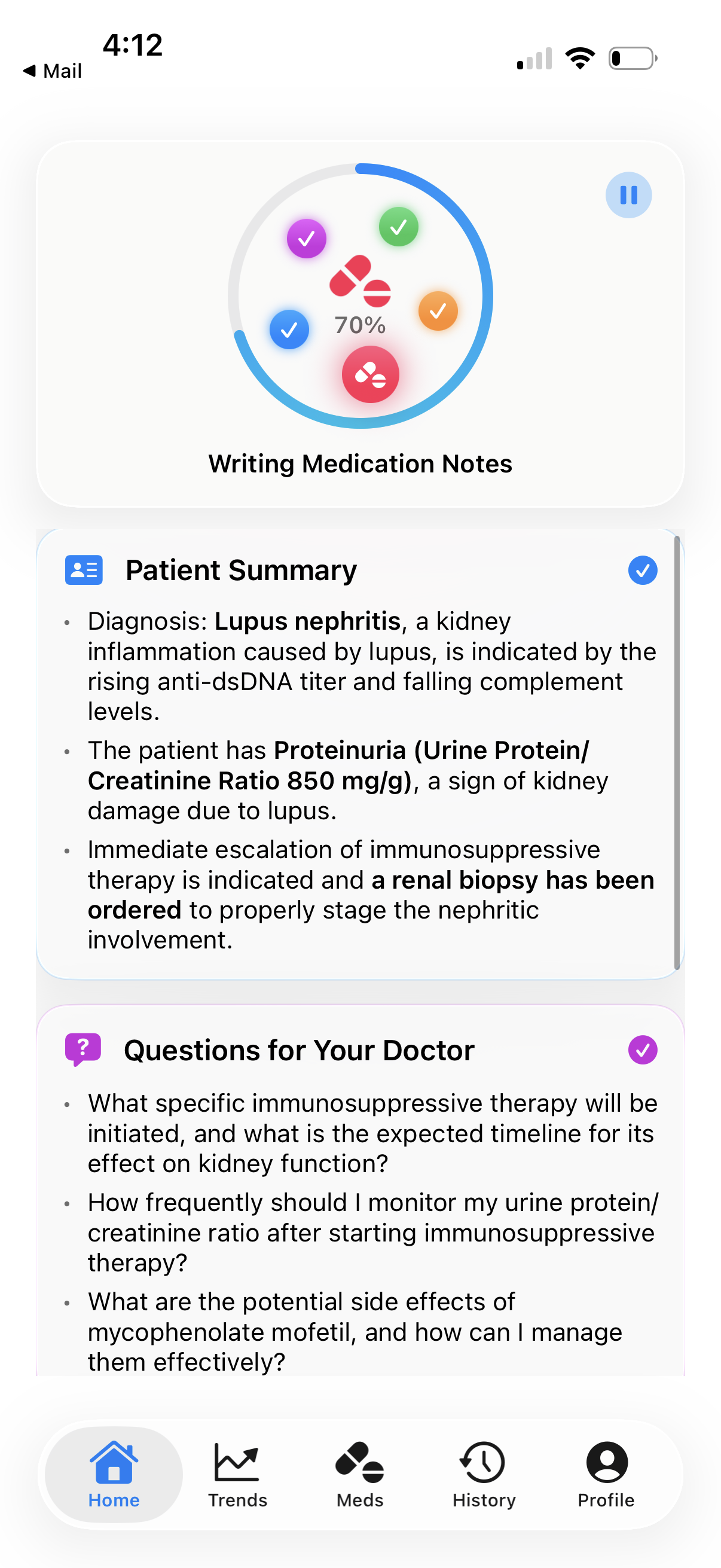
Get a plain read-out.
The on-device AI rewrites your report into five readable sections in seconds.
Ask follow-ups.
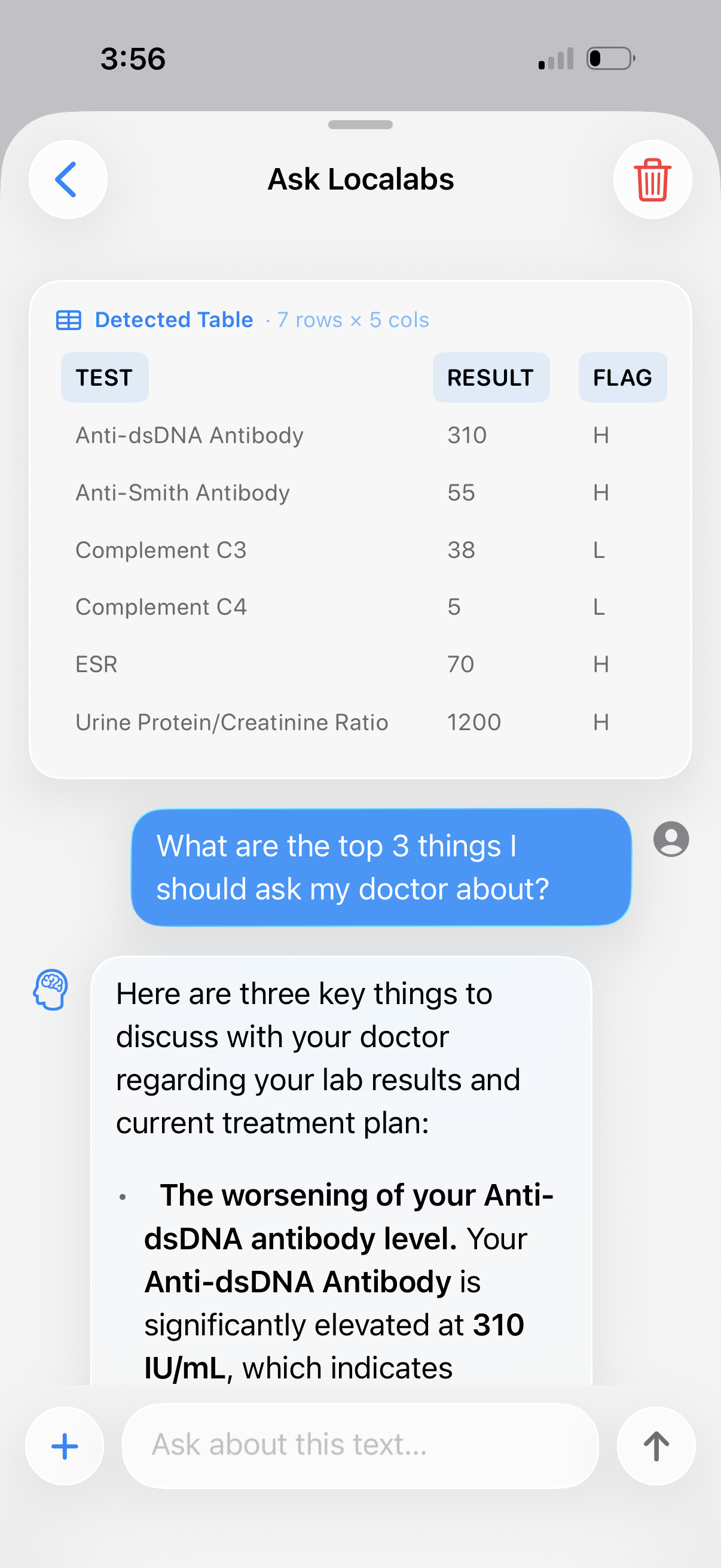
Lasso any line on the scan. Chat in the context of your profile and Health data.
Designed around how you actually live with your results.
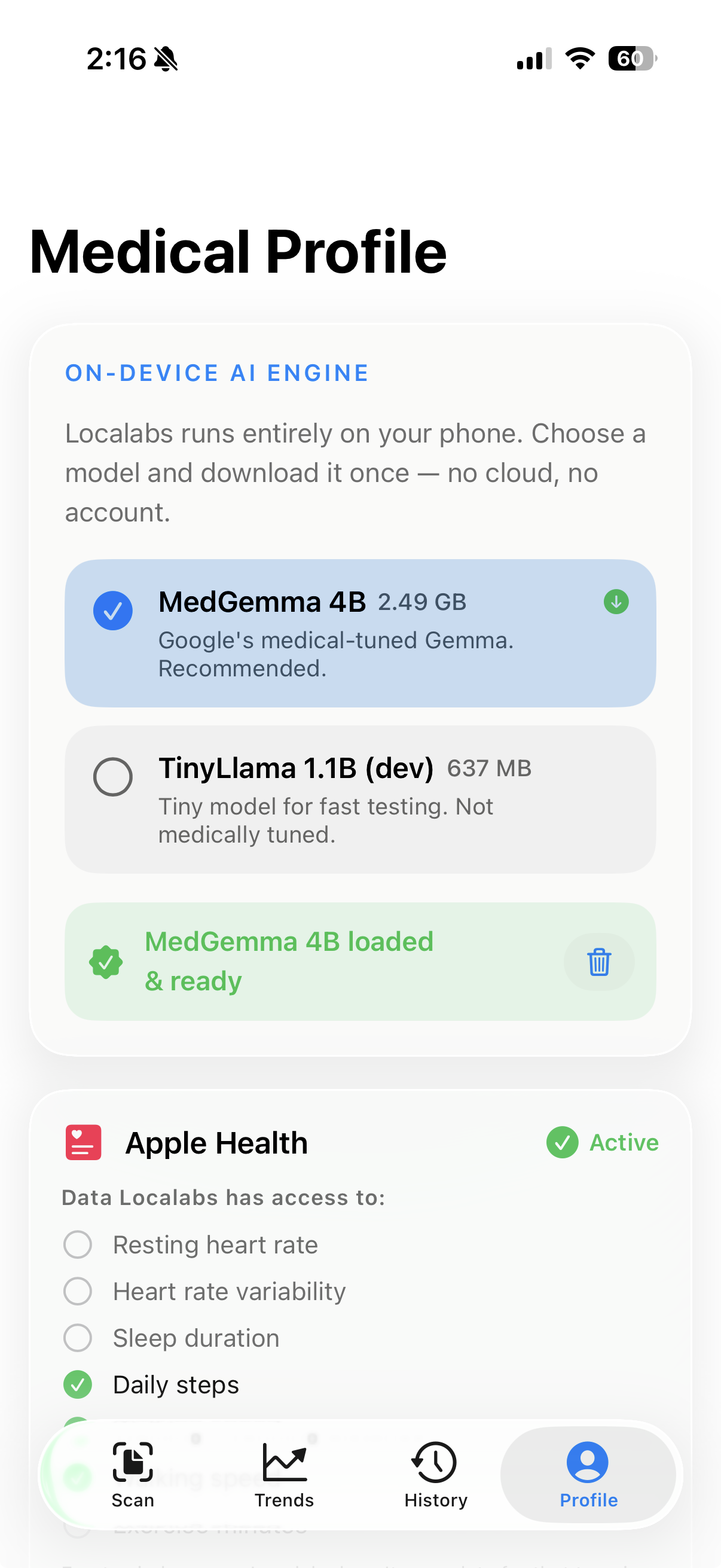
100% on-device AI
A 4-billion-parameter medical-tuned model — Google's MedGemma 4B — runs on your iPhone's Neural Engine and GPU. Your lab values never touch a server.
Apple Health context
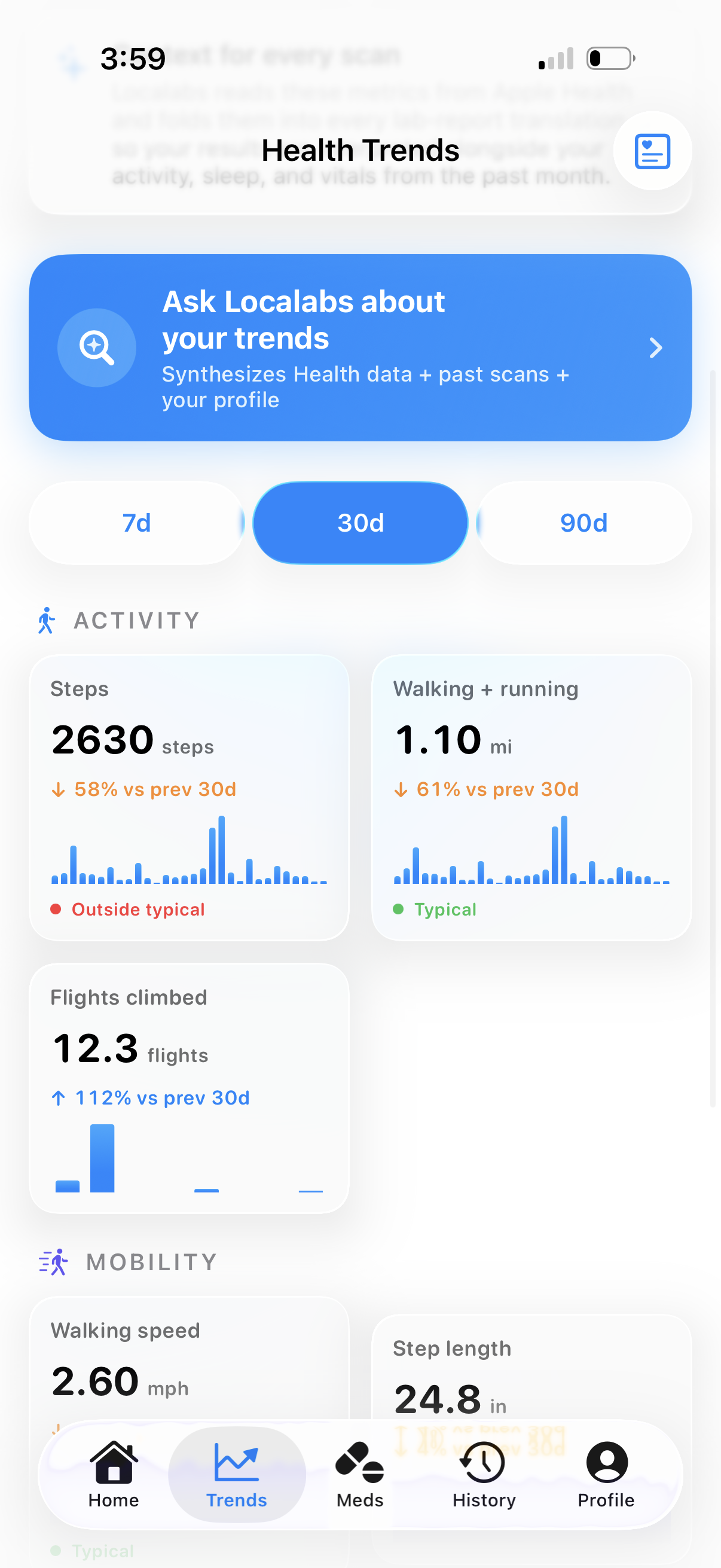
Activity, sleep, vitals and mobility from the past 30 days fold into every translation — so a borderline cholesterol number is interpreted next to your steps and resting heart rate.
Local history, longitudinal AI
Past scans live on-device with AI-generated titles. The next translation reads them too — so trends and recurring values get flagged automatically.
Memory that grows with you
Mention a medication or family history in any chat; Localabs offers to save it to your profile. Future answers get smarter every visit.
Multi-page scanner
Capture full reports with Apple's native document scanner. Edge detection, perspective correction and retake-per-page are built in.
Age-adjusted reference ranges
HRV, VO₂ max, walking speed and sleep are interpreted with age- and biological-sex-bracketed bands from peer-reviewed sources — not generic adult averages.
Lasso any line
Drag a glowing path around any value on the original scan and ask follow-ups. Multiple values come back as a tidy comparison table.
Free. iOS 26.
One download, ~2.5 GB for the model. After that, the app works fully offline. No subscription, no in-app upsells.
It tracks, reminds, and follows up.
One report is a translation. Many reports become a picture of your health over time — all on-device.
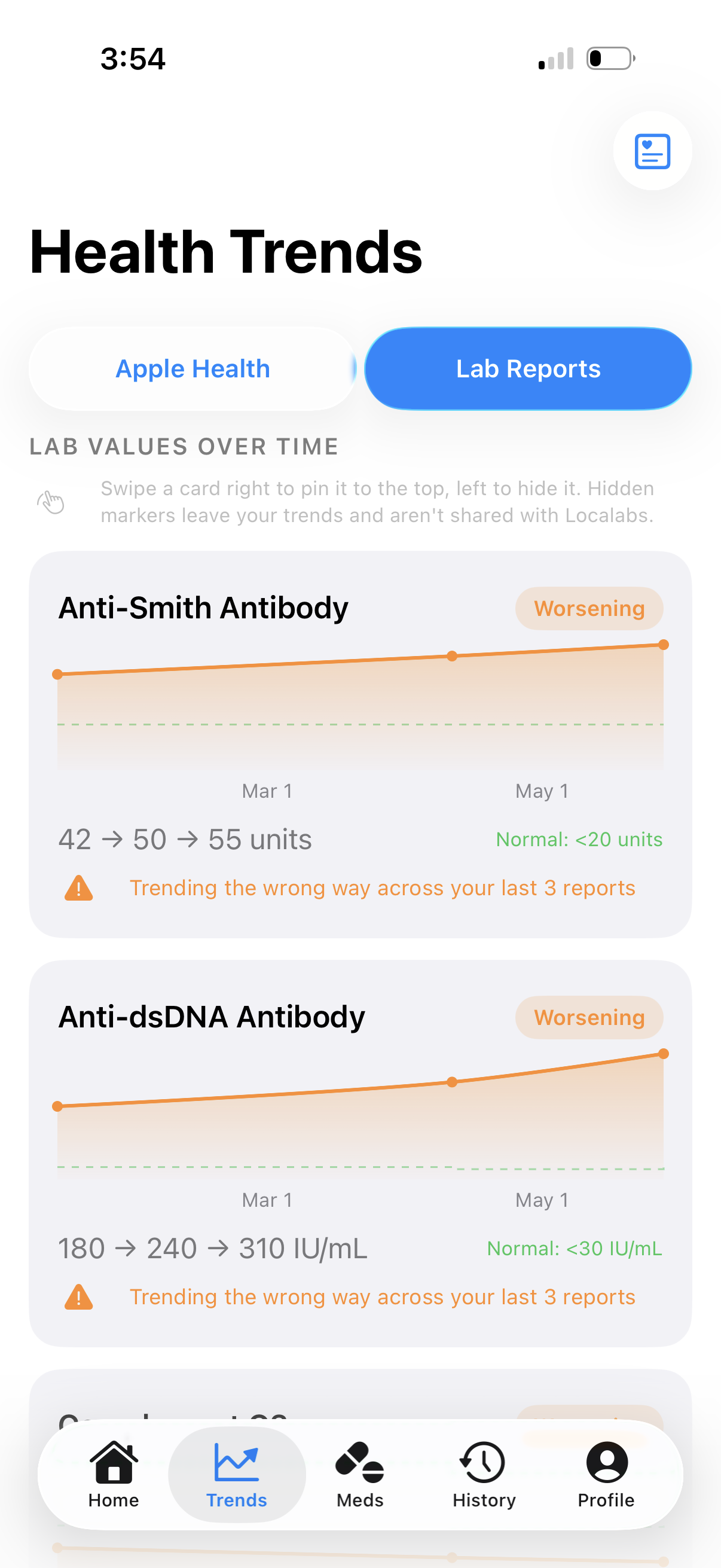
Every marker, over time.
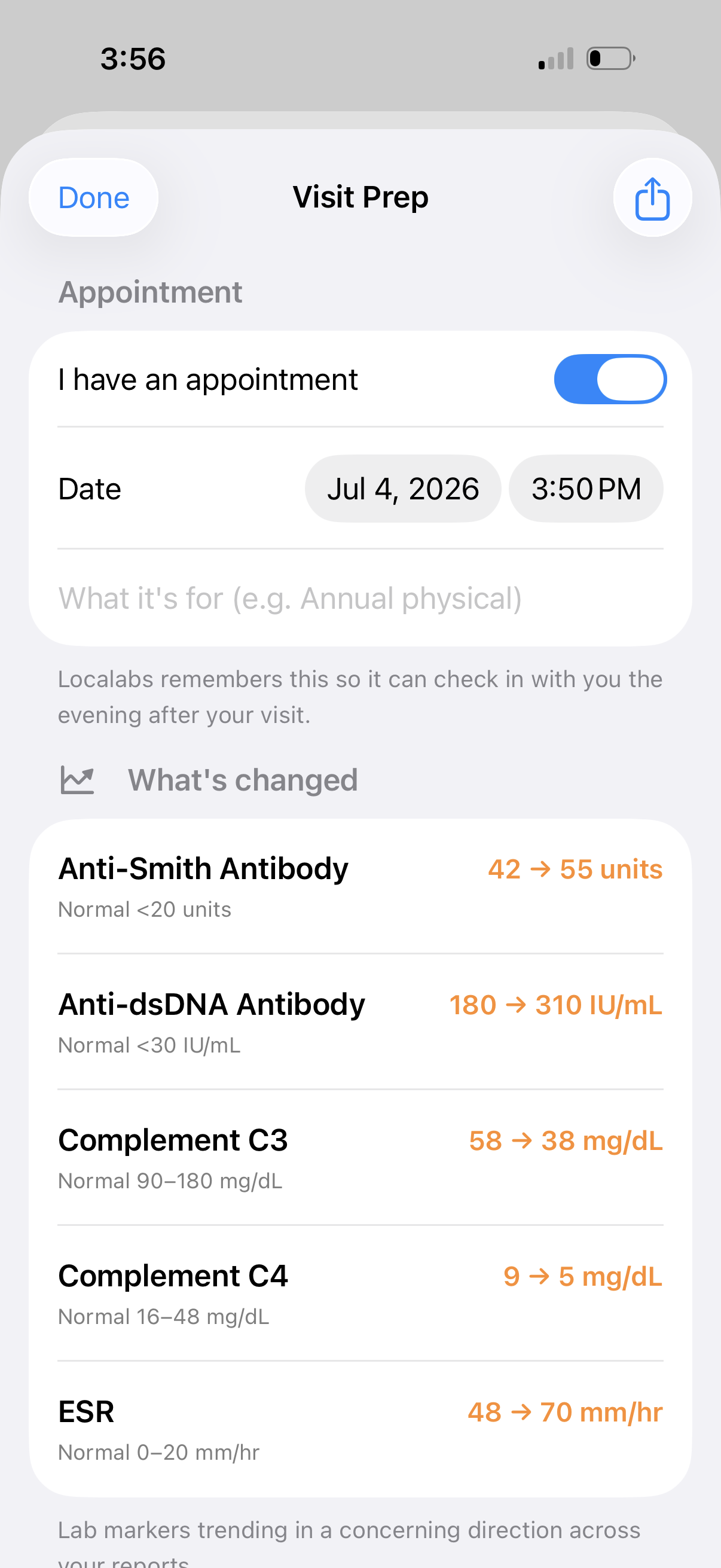
Scan reports across months and Localabs charts each value, flags what's trending the wrong way, and reminds you to recheck.
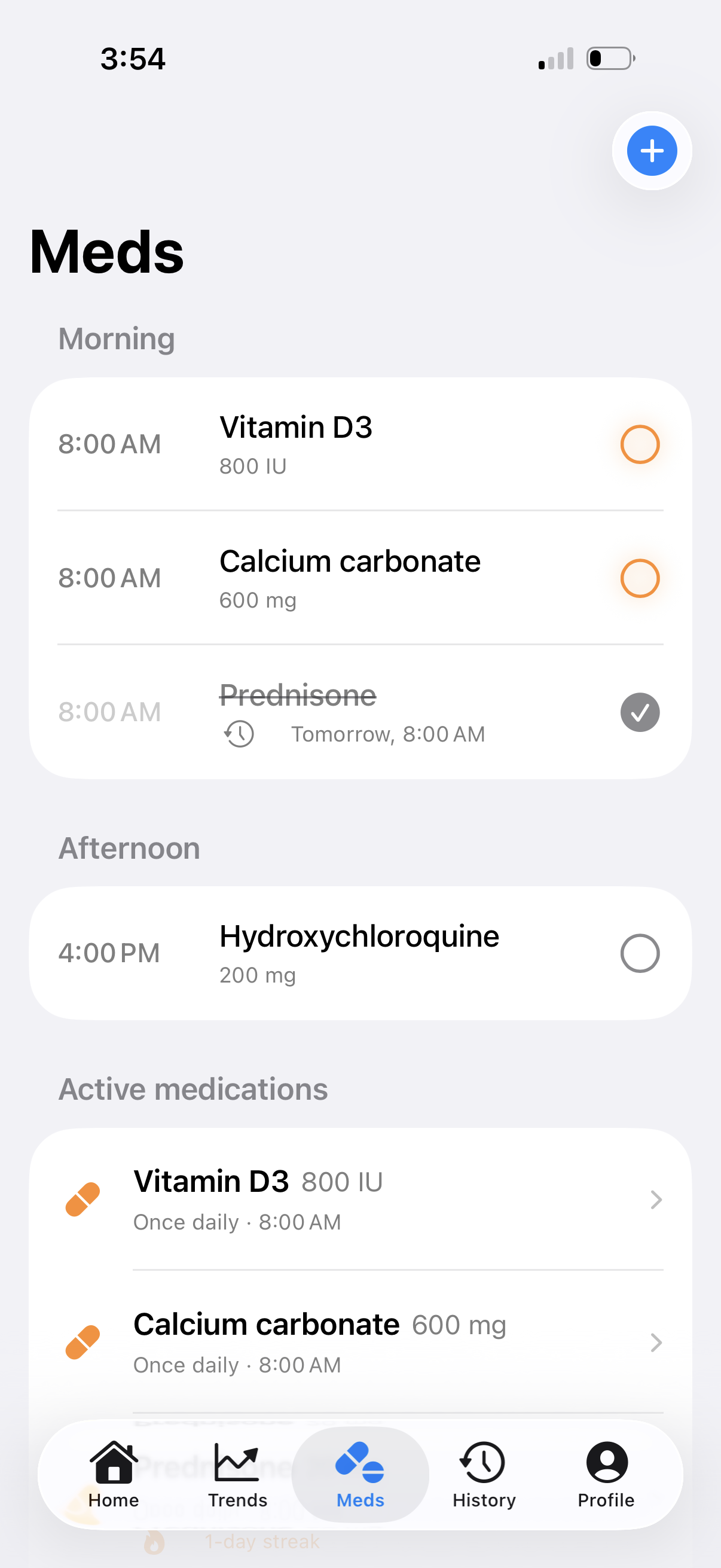
Medications & reminders.
Add a medication straight from a report in one tap, set the times, and check off each dose — with a gentle nudge when one is due.
Ready for your visit.
Localabs drafts questions to bring to your appointment, then checks in afterward to log what changed — new meds, instructions, the next date.
Your lab results never leave your phone.
There is no cloud. No account. No analytics. No telemetry. Localabs ships with a quantized medical-tuned model that runs on your iPhone's Neural Engine and GPU. Every conversation is local — by construction, not by promise.
No login. Ever.
No email, no Apple Sign-In, no third-party SSO. Open the app and use it.
No outbound traffic
One download for the model (~2.5 GB) on first launch. After that, airplane mode works fine.
HealthKit, locally
Apple Health metrics are read on-device and folded into the AI prompt — never transmitted, never logged.
Open model
Quantized medgemma-4b-it. Open weights, runs locally via llama.cpp on Metal.
Zero analytics, zero SDKs
No Firebase, no Sentry, no Mixpanel, no Crashlytics. Nothing reports you. You can verify it: there are no third-party SDKs in the bundle.
A 30-day picture, on every page.
Localabs reads activity, sleep, vitals and mobility from Apple Health and visualizes them with familiar bar and line charts — each banded by age-and-sex norms. Tap any metric to ask the AI what it means for you.
Common questions.
Does Localabs replace my doctor?
What lab reports does it work with?
Why on-device?
What model does it use?
How much storage does it use?
What iPhones does it run on?
Does it need an Apple Watch?
Will my profile ever leave my phone?
Make sense of your next lab report.
Free. On-device. No account. Built for iPhone 15 Pro and later running iOS 26 — same hardware floor as Apple Intelligence.